|
|
|
|
|
ActiveX
Controls
for Enterprise
Application Design |
| |
|
|
|
|
|
|
|
|
|
|
|
  |
|
|
|
|
|
|
|
|
Add tool tip functionality quickly and
easily with ctTips. An ideal component
for adding context sensitive information
and descriptions for active areas on a
form. |
|
| |
|
|
| |
|
|
| |
 |
|
| |
|
|
| |
|
|
| |
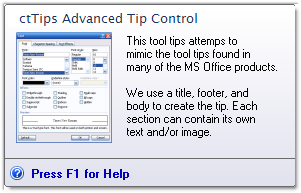
ctTips offers developers extensive
control over the positioning, color, and
even the style of the tips display. With
the mouse-over event, ctTips uses
windows handles assigned by the host
platform to controls on a form. |
|
| |
|
|
| |
Tips may be forced to appear by means of
custom methods & properties when host
platforms (e.i. VFP or Access) do not
provide unique handles to objects on a
form. |
|
|
|
|
| |
Text Wrap : Create a
tool tip with multiple lines of text and
up to 3000 characters |
|
| |
|
|
| |
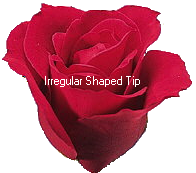
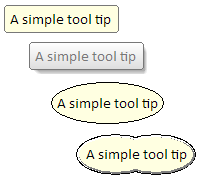
Multiple presentation Styles
: Choose Regular, drop shadow, round
and thought cloud or bubble styles. |
|
| |
|
|
| |
 |
|
| |
|
|
| |
|
|
|
Forced Visibility :
Force a tip to appear through method
calls. |
|
| |
|
|
| |
 Extensive display options
: Designate alignment and placement of
tips relative to a control, the pointer,
or cursor. Enhance the tip presentation
with the Backcolor and forecolor
settings. Specify use of regularly
assigned fonts, secondary fonts, or the
system font. Extensive display options
: Designate alignment and placement of
tips relative to a control, the pointer,
or cursor. Enhance the tip presentation
with the Backcolor and forecolor
settings. Specify use of regularly
assigned fonts, secondary fonts, or the
system font.
Delay setting :
Specify the delay between the triggering
of the mouse-over event and the display
of a tip. |
|
| |
|
|
| |
|
|
| |
|
|
|
|
| |
|
|
|
|
| |
|
|
|
|
| |
 |
|
| |
|
|
|
|
| |
|
|
|
|
| |
|
|
|
|